
Custom stickers made from your own art, logo or photo. Upload it right here, and we take the background off and draw the cut line around it for you.
Cut to your art’s shapeDie cut or kiss cutAny size up to 18 × 12 in7 materials, indoor & outdoor
How it works
Upload your art
Tap Make your sticker and upload a picture (PNG or JPG) or a PDF. We take the background off and draw the cut line around your art, with a white border. A logo with a see-through background is used just as it is.
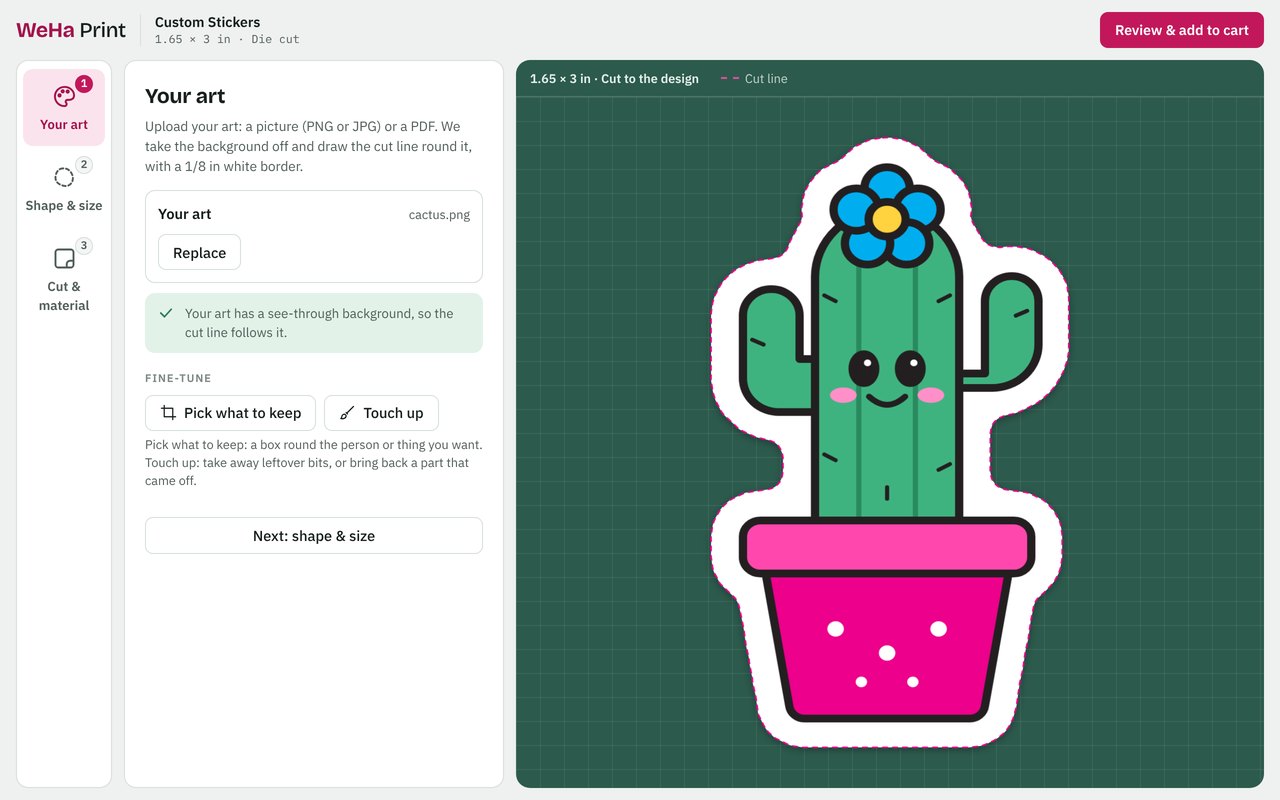
Fine-tune a photo
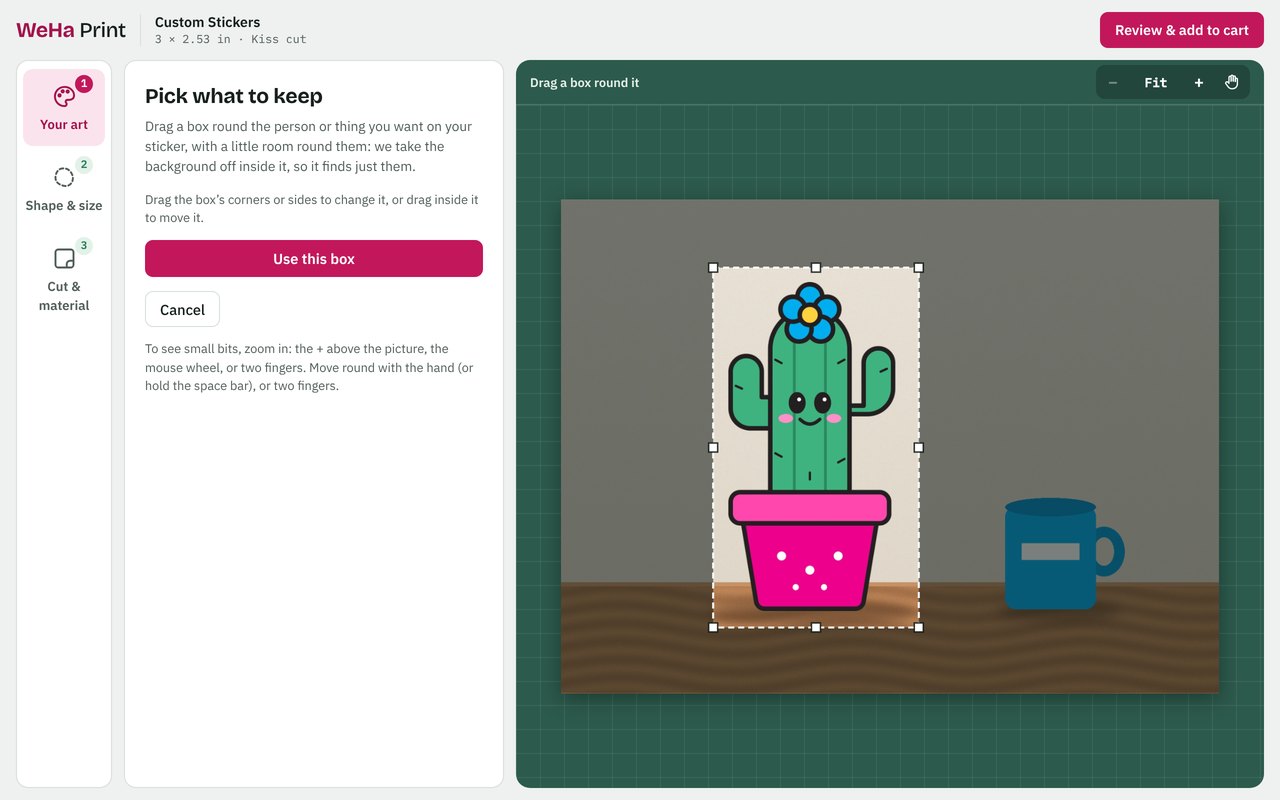
Pick what to keep: drag a box around the person or thing you want, and we take the background off inside it.
Just the head: keeps only the hair and face, cut under the chin. Great for face stickers.
Touch up: tap a leftover bit to take it away, or paint to erase or bring back an edge. Zoom in to fix the small bits.
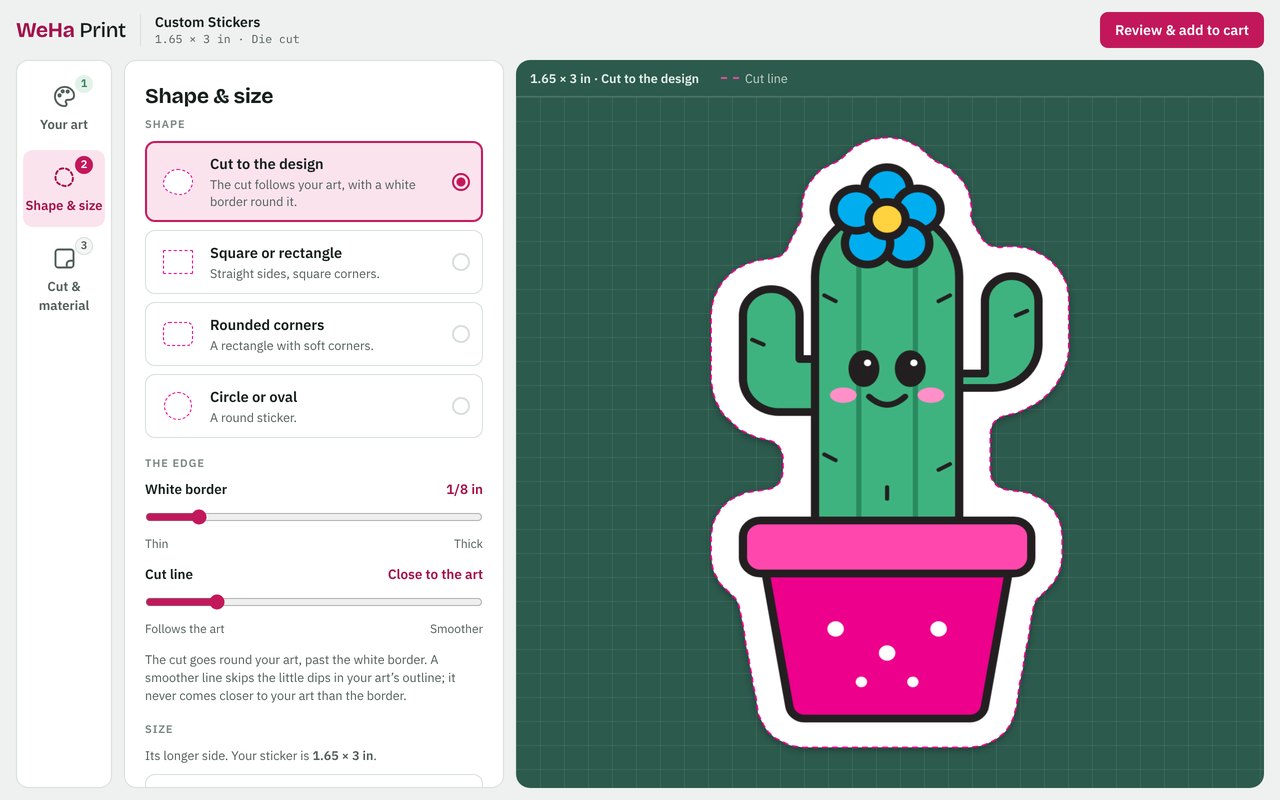
Pick the shape and size
Cut to your design, or choose a square, rectangle, rounded corners, a circle or an oval. Make the white border thinner or thicker, and the cut line smoother.
Pick 2, 3, 4 or 5 inches on the longer side, or type in your own size from 1 inch up to 18 × 12 inches.
Choose the cut, material and quantity
Pick die cut or kiss cut, your material and how many. Your price shows as you go, and the more you order, the less each sticker costs.
Tap Review & add to cart, check your sticker, and it goes straight into your cart.
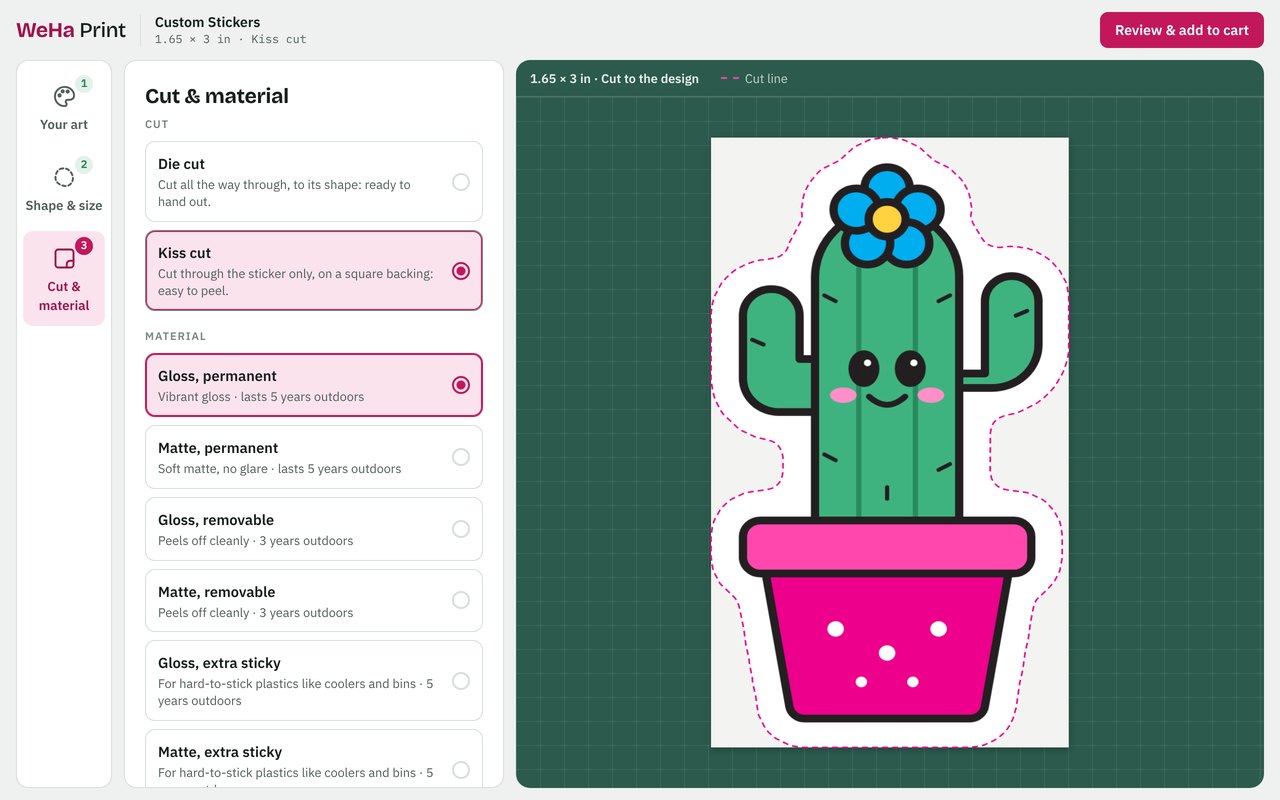
Die cut or kiss cut?
Choose your material
Gloss is bright and vibrant. Matte is soft, with no glare.
Tips for great-looking stickers
- ✓A logo or design with a see-through background (a PNG), or a PDF from your design program, gives the cleanest edge.
- ✓Use a big, sharp picture. We let you know if your art may print blurry at the size you pick.
- ✓For photos, use the original from your phone or camera. Screenshots and photos saved from social media often print blurry.
- ✓Check the edges after the background comes off, and use Touch up to tidy anything that doesn’t look right.
Good to know
The white border. It starts at 1/8 inch, and you can make it anywhere from 1/16 to 1/2 inch.
Colors in print. Ink looks a little less bright than your screen, especially neon and very bright colors.
Design first. Add to Cart unlocks once you’ve made your sticker.
Changed your mind? Tap Edit your sticker in your cart to change it.

